
TWO PHOTOS. ONE SCENE.
Hotel Lobby AI Video GeneratorPreview the Orange Booth
Explore the two-photo character-replacement template on hotellobbyai.page. The template supplies the performance roles and soundtrack; photos do not change the voices. New generation and credit purchases are coming soon.
- Credits per video
- No app to install
- 4 aspect ratios
- Started
- Elapsed
- —
Cast your duo
0 / 2One clear face per photo. Use photos you own or have permission to use.
Replace the two template characters using your photos. The template guides who raps and who dances, and supplies the soundtrack. Photos do not automatically change voices.
Generation uses purchased credits. New accounts receive no generation credits. See Pricing for checkout availability.
New video generation and payments are coming soon. Browse templates, guides, video settings and preview pricing. Existing completed videos remain available to view and download.
01 — HOW IT WORKS
Prepare for your video in 3 steps
Prepare two photos
Use one clearly visible person per photo with even light. Include clothing if it matters to the result; references cannot guarantee likeness or outfits. The photos can be taken separately.
Preview and choose your format
Watch and listen to the chosen template to check who raps and who dances. Select the duration, resolution and aspect ratio; changing photos does not change the voices.
Check availability and credits
New generation and credit purchases are coming soon. Review the planned costs on Pricing. Existing completed results remain available to view and download from Your videos.
02 — THE ORANGE BOOTH
What is Hotel Lobby AI?
Preview the orange-booth template with sound and prepare two photos for character replacement. The template determines who performs, reacts or dances; photos do not change its voices. Likeness, placement, motion and lip-sync can vary. Planned formats are 5 or 10 seconds, 480p or 720p and four aspect ratios. New generation and credit purchases are coming soon. New accounts receive no generation credits.
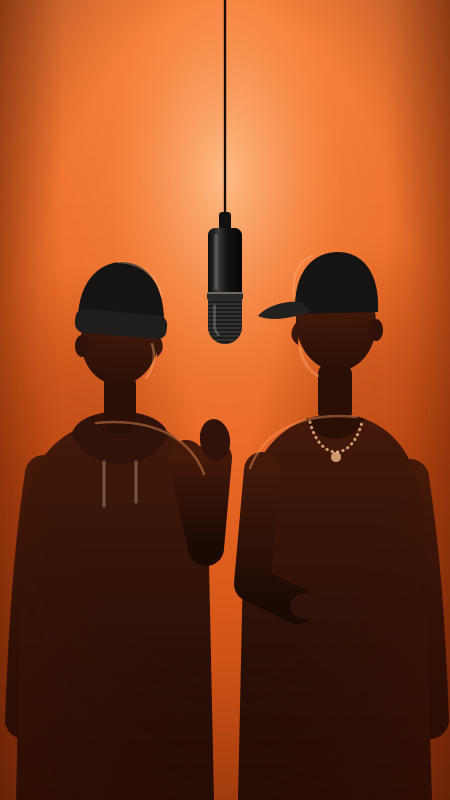
Hotel Lobby AI is a two-photo character-replacement format inspired by the orange studio and hanging microphone of Quavo and Takeoff’s 2022 A COLORS SHOW performance. The selected template guides each character’s role; two people in frame does not mean both sing. This site’s planned workflow uses the previewed template as a motion reference and retains its soundtrack.
TrendFROM PHOTOS TO VIDEO
Start with the template
Watch the reference used for character replacement. This preview is not a generated example.
Template reference · not your generated result
Replace the two template characters using your photos. The template guides who raps and who dances, and supplies the soundtrack. Photos do not automatically change voices.
Use the player controls to turn sound on.
Make a video03 — THE BACKSTORY
From the COLORS performance to AI character replacement
2022
Quavo and Takeoff, performing as Unc & Phew, perform "Hotel Lobby" for A COLORS SHOW in the orange studio with a hanging microphone.
AI character replacement
The format uses photos as character references for an orange-booth scene. A performance reference can guide the movement, roles and camera timing.
On this site today
Watch and listen to the template, prepare your photos and compare the planned formats. New generation and credit purchases are coming soon.
04 — MADE FOR YOUR DUO
What to know about the planned workflow
Two photo references
Photo 1 references the character initially on the left and Photo 2 the one initially on the right. Their movement follows the template; likeness, outfits and placement are not guaranteed.
The orange-booth style
The preview shows the orange set, hanging microphone and lighting used as the visual reference. Inspect the actual template before choosing your photos.
Template motion and sound
The reference guides gestures and the performance roles; the finished video keeps the template soundtrack. Likeness and movement can vary, and exact lip-sync is not guaranteed.
Compare planned formats
5 or 10 seconds, 480p or 720p, in 9:16, 16:9, 4:3 or 3:4. Planned costs: 5s 480p/720p = 100/200 credits; 10s = 150/300 credits. Generation and purchases are not open yet.
Choose your references carefully
Prepare portraits of people whose images you have permission to use. Pet results and the same person in both roles have not been verified with the current template.
Your photos, your rights
Use photos you own or have permission to use. Check the output and any music rights before sharing it.
05 — FIND YOUR WAY
3 ways to do the orange-booth video
| Method | Cost & time | What you get |
|---|---|---|
| CapCut template | Cost and time vary by template | Edit media using the chosen template. Supported photo, video and effect features depend on that template; check its preview and requirements. |
| Use a video model directly | Cost and time depend on the provider and settings | Choose a model and supply the prompts or references it supports. Identity, motion and audio controls vary by model; a retry does not guarantee a match. |
| Two-photo Hotel Lobby AI workflow | Paid credits planned; generation coming soon | Two photos provide the character references. The selected template guides the performance roles and timing, and its soundtrack is retained. |
06 — GOOD TO KNOW
Hotel Lobby AI FAQs
What can I do on hotellobbyai.page today?
Hotel Lobby AI at hotellobbyai.page provides template previews with sound, photo-preparation guides, workflow comparisons and proposed pricing. New video generation and credit purchases are coming soon. This site is separate from other similarly named Hotel Lobby tools; their plans and free trials do not apply here.
Does this make a new rap or recreate the original video?
The planned workflow uses two photos as character references and keeps the selected template soundtrack. It does not write a new rap or accept your own source-video upload. The selected template is a reference preview, not the complete original COLORS performance or proof of a generated result.
What is a Hotel Lobby AI video?
A two-character scene in an orange booth, with two people from your photos replacing the template performers. Its motion and soundtrack come from the template.
Do I need two photos?
The planned workflow uses two photo slots, one subject per photo. Photo 1 references the initially left character and Photo 2 the initially right character. These are references, not a guarantee of the final placement.
Is Hotel Lobby AI free?
Template previews are free to watch. Planned generation uses purchased credits, and new accounts receive no generation credits. New generation and credit purchases are currently coming soon; see Pricing for the current status.
How long does it take?
New generation is not open yet, and there is no guaranteed completion time. Accepted tasks depend on provider queues, processing and saving the output. Check an existing task in Your videos instead of submitting it again.
Can I use pets, cartoon characters or celebrities?
Pet results have not been verified with the current template. Only use images you own or have permission to use; do not submit photos of public figures or copyrighted characters. An image being accepted does not guarantee a successful result.
Why do the two faces blend or swap sides?
AI can lose identity or role consistency even with clear photos. Crowded, dark or angled references can make the task harder. Use one clear subject per photo, then compare the result with both inputs and the template.
Can the same person appear twice?
You can prepare two photos of the same person for the two roles, but this combination has not been verified with the current template. Two matching identities or correct placement cannot be guaranteed. New generation is coming soon.
Does the video include music?
The planned workflow retains the template soundtrack in the final MP4. Listen to the preview: replacing photos does not change the voices, two characters do not necessarily both sing, and exact lip-sync is not guaranteed.
Find the answer for your next step
Plan your video
- Template and soundtrack
Check the source scene, lead performer and audio before choosing photos.
- Character replacement
Understand what changes, what stays, and why likeness can vary.
- Step-by-step workflow
Prepare photos, preview settings, and review a completed task.
- Free previews and paid credits
Separate free viewing from video generation and check availability.
Prepare, troubleshoot, finish
- Choose two reference photos
Framing, light, outfits and one subject per image.
- Fix roles, likeness and audio confusion
Diagnose a result before spending credits on another attempt.
- Edit for TikTok, Reels and Shorts
Keep both performers in frame and review captions and sound.
- Prompting alternatives
Understand a manual workflow and its trade-offs.
Explore the format
- Watch and evaluate a preview
Tell a template preview from a generated result.
- Pets and unusual pairings
Photo preparation and the limits of unverified pet results.
- CapCut template or AI generation?
Choose an editing or character-replacement workflow.
- Higgsfield or a fixed template?
Compare source-video inputs with a preset scene and soundtrack.
- The trend and original performance
Understand the orange booth and the song behind its name.
TWO PHOTOS. ONE SCENE.
Explore the template and planned formats
Preview the performance with sound, prepare two photos and review the planned credit costs. New generation and credit purchases are coming soon.
Updated 2026-10-09